News

Availability & Booking Guide Tablets & Phones

 Booking Request Guide for Tablets & Phones


The Availability and Booking Request link will bring you to this page.

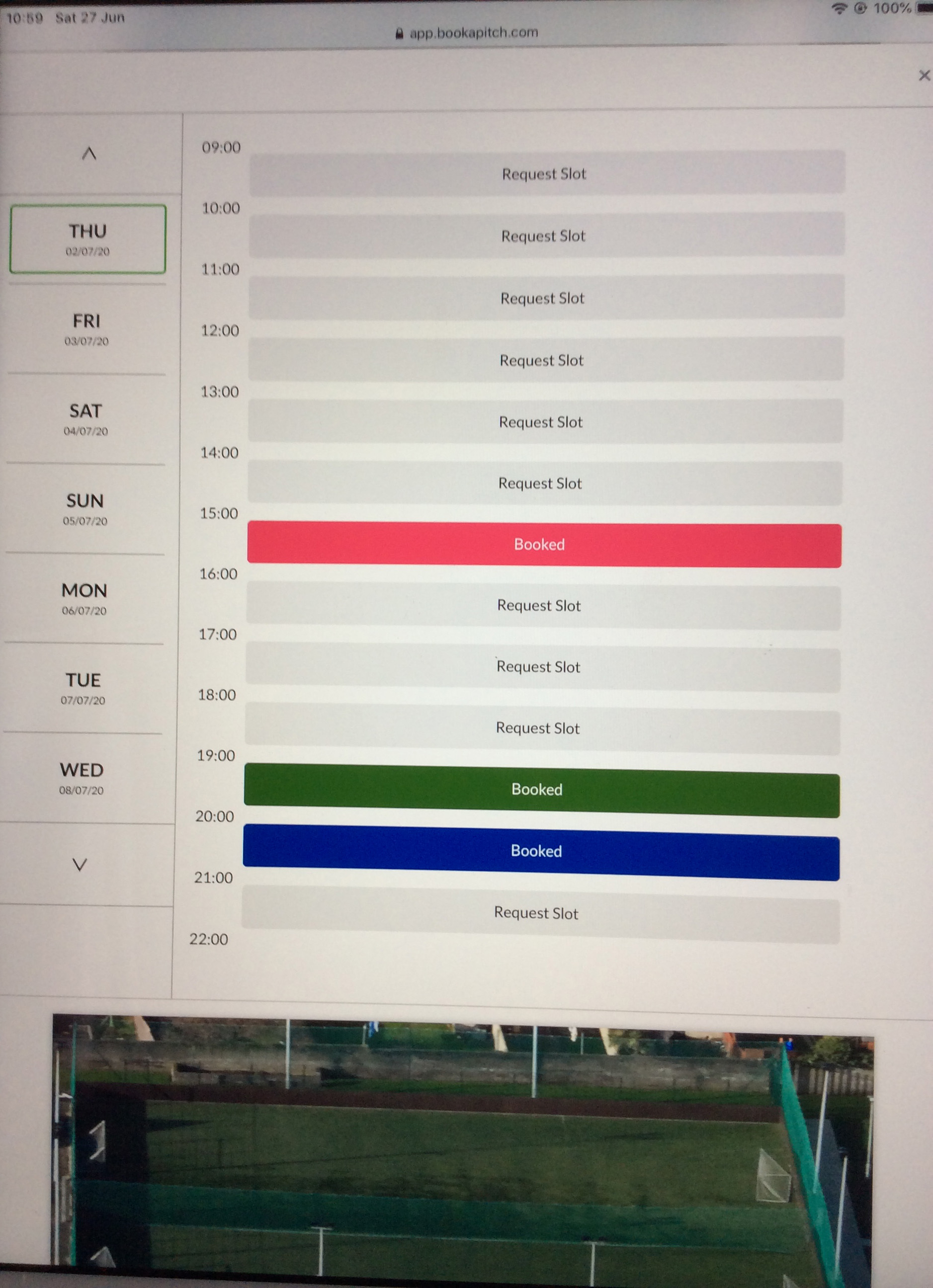
Select Facility option to Request (All-Weather Pitch Full is outlined in green; this is the default option); select your preference. Your selection will display the green outline. Swipe across to view all options.
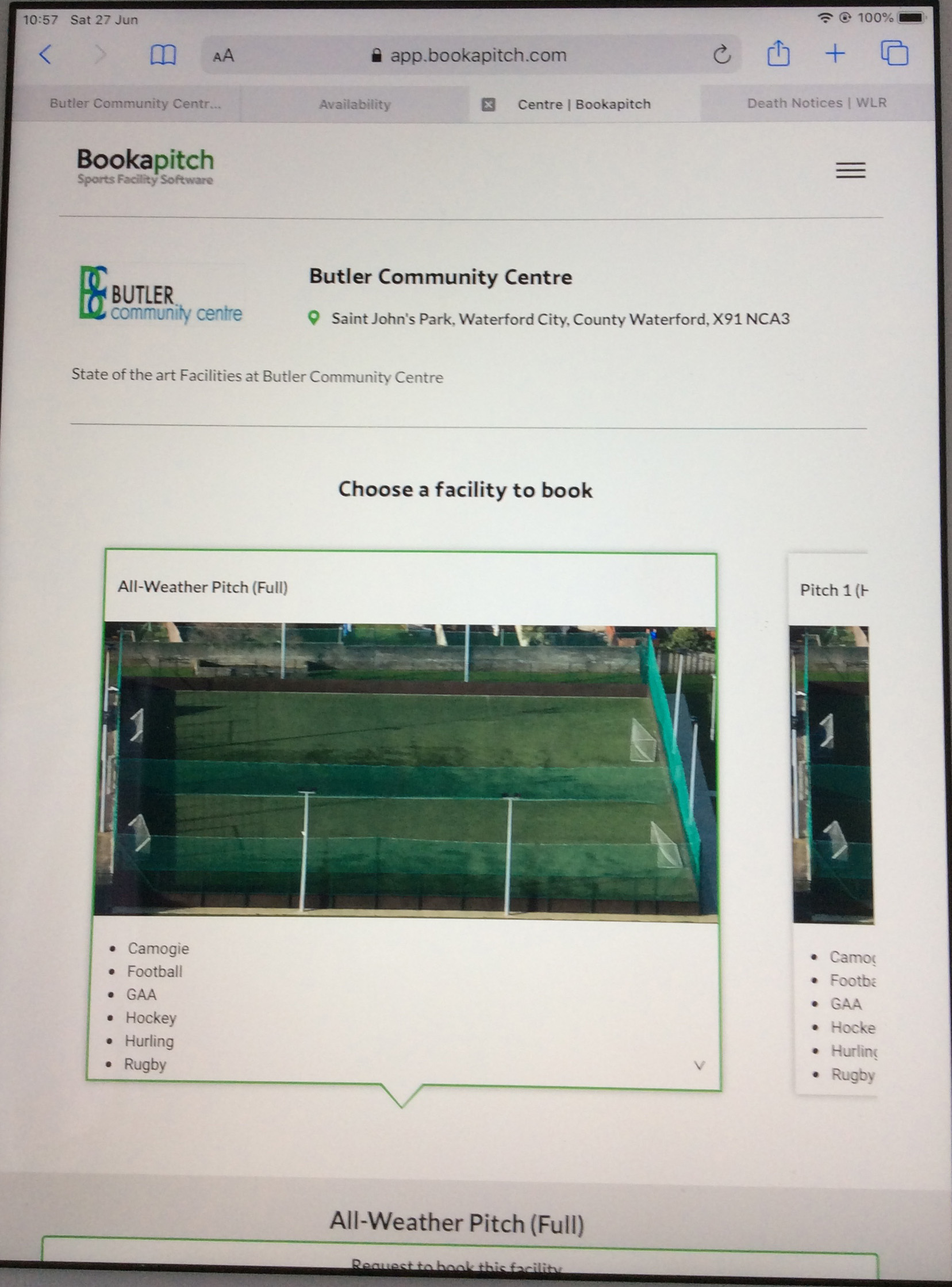
 

Swipe up if necessary to reveal calendar, use scroll arrow if your start date is in advance of the current month and select the start date required to proceed.
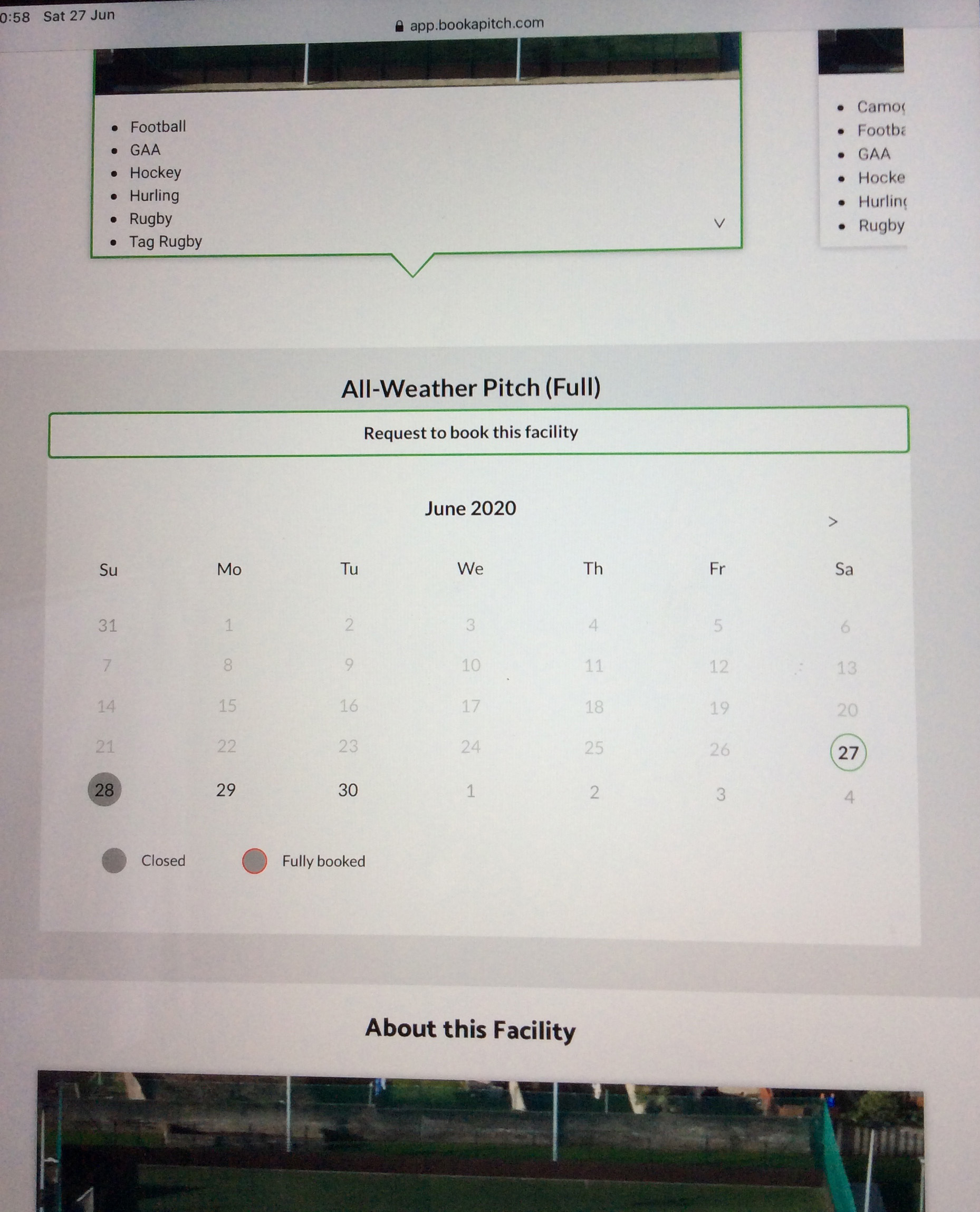
 

Ensure Date & Day are correct (green outline) and select the request slot at your preferred start time.
 

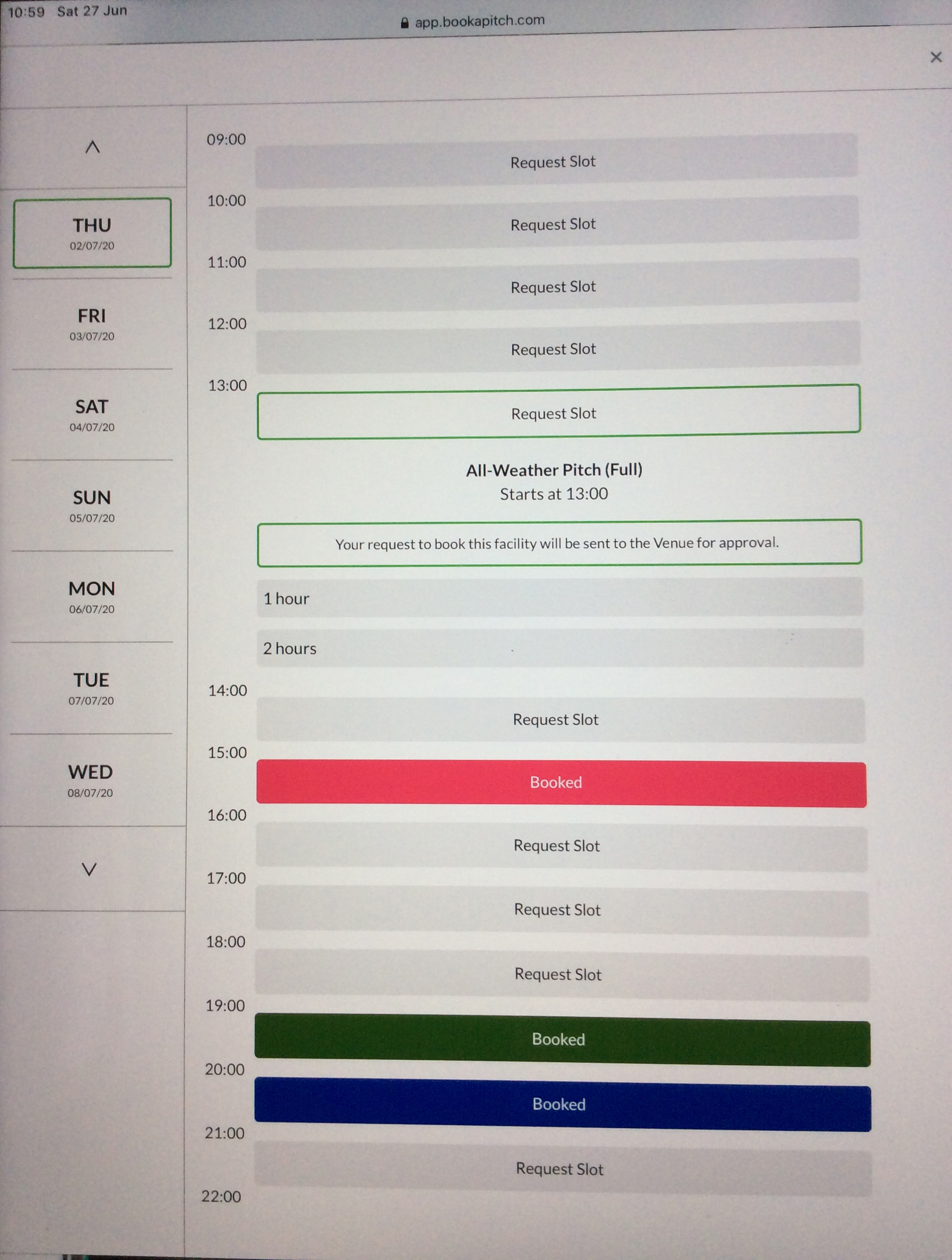
Select number of hours from drop-down to proceed


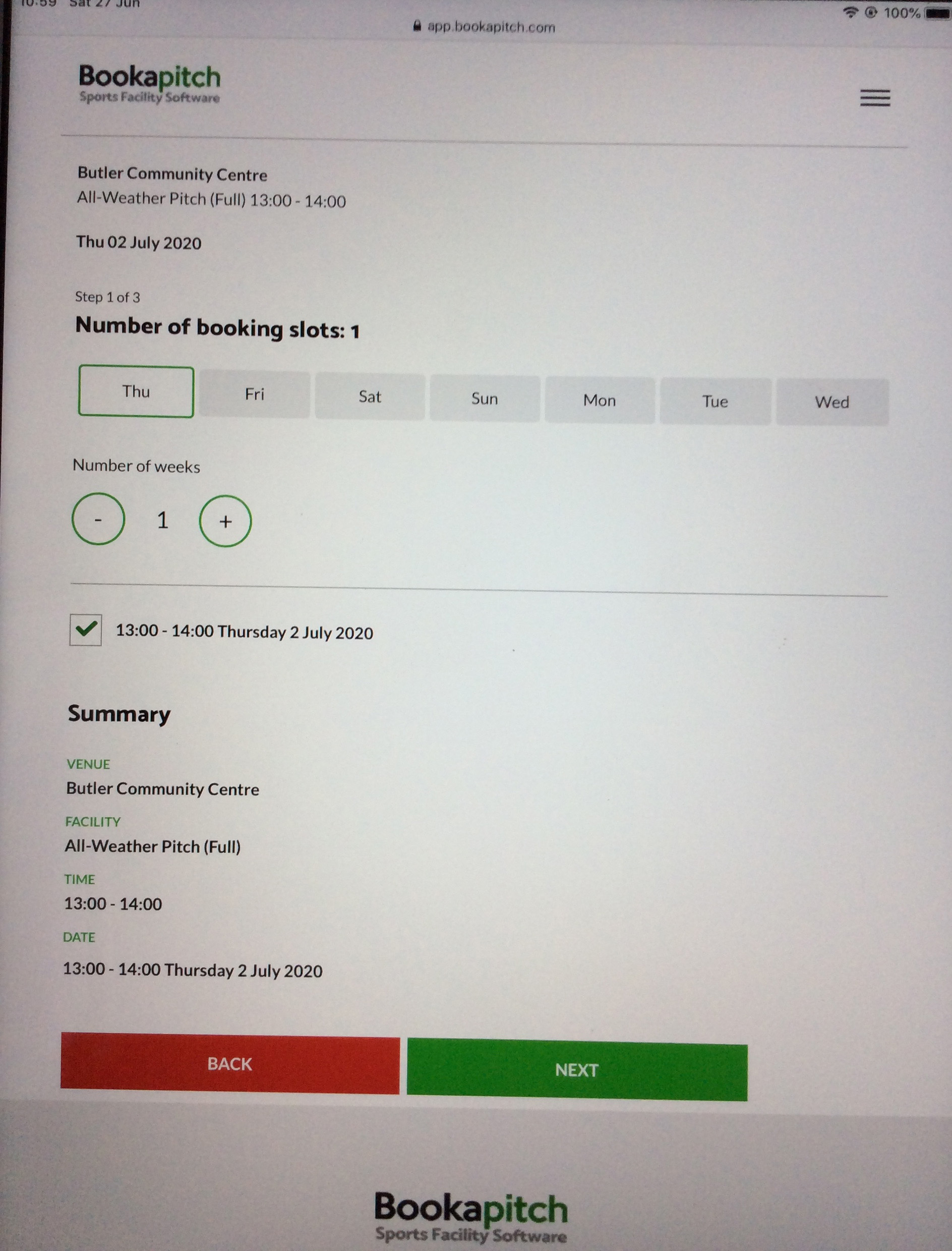
View summary to ensure correct selection; if incorrect select back.

If you are requesting more than 1 day (same time slot) in the same week select  each day required.

Select the number of weeks required for booking; the same time slot and days will apply to all weeks.

click next to proceed.
 

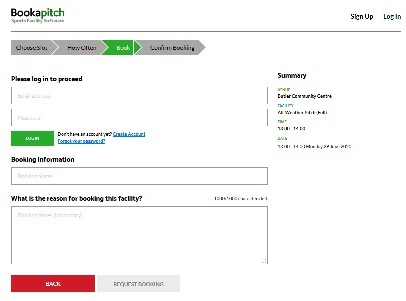
 Log in or click Create Account to Proceed.
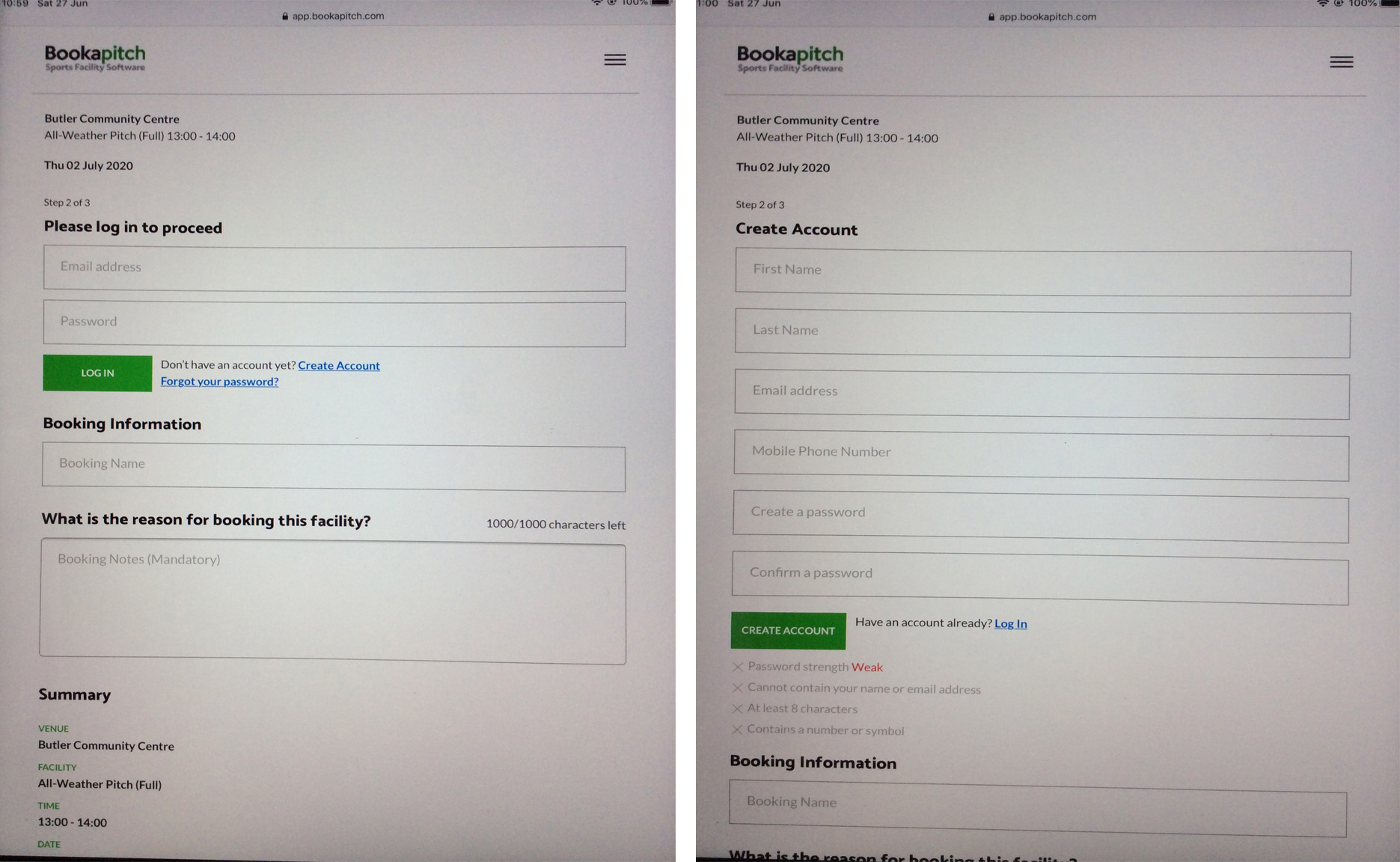
 

Fill in booking information.
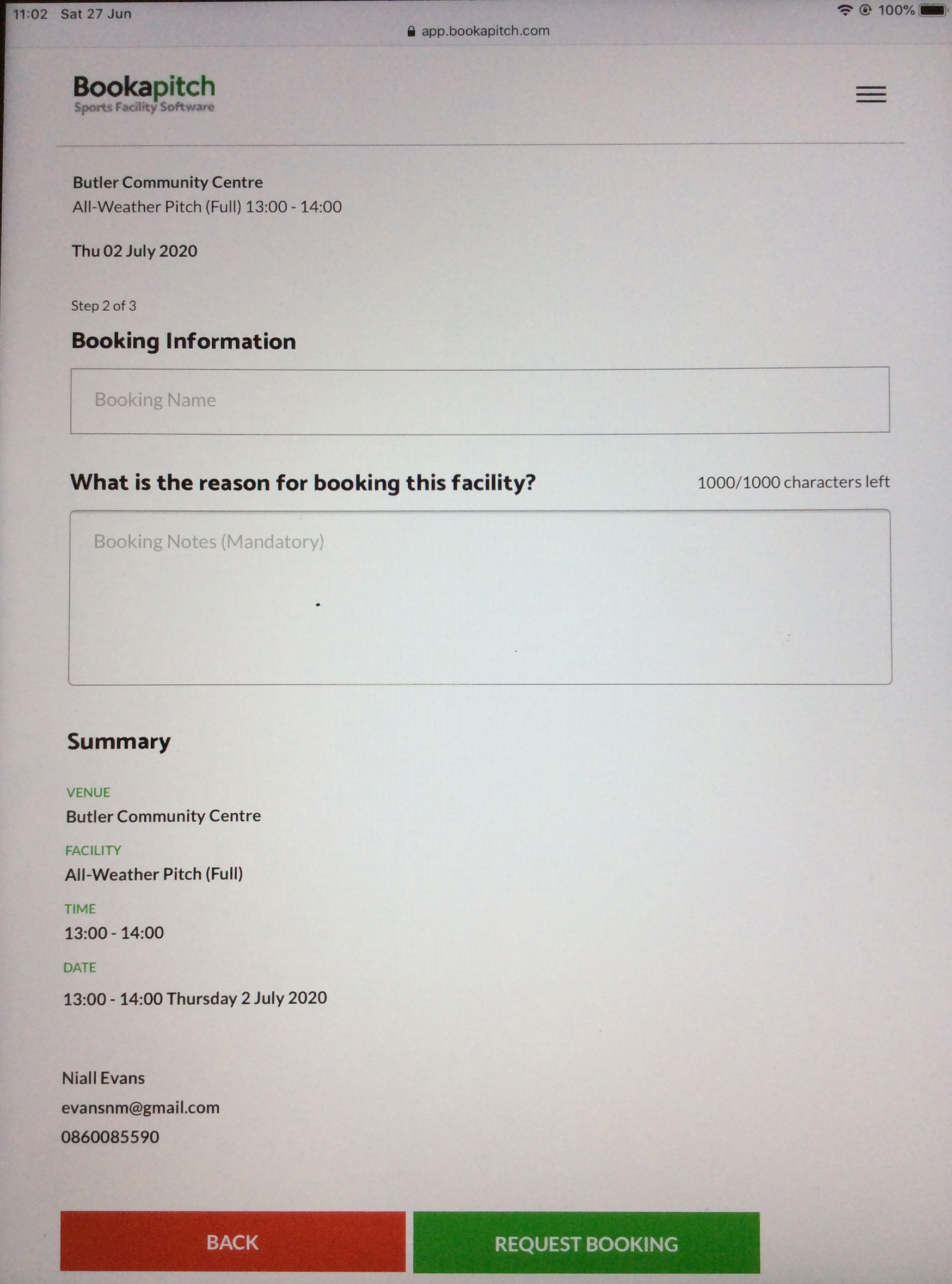
Recheck Summary to right to ensure you are submitting your preferred selection and click "Request Booking" if OK or "Back" to edit selection.
 

Availability & Booking Guide Personal Computers

 Booking Request Guide for Personal Computers

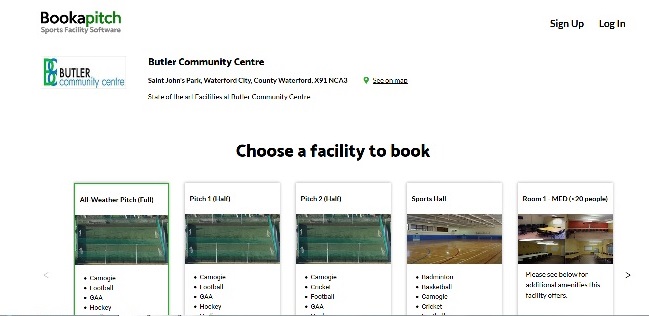
The Availability and Booking Request link will bring you to this page.

Select Facility option to Book (All-Weather Pitch Full is the default option; green outline); select your preference. Your selection should now have the green outline. Use Scroll arrows to scroll across to view all options.


Scroll down to view calendar.

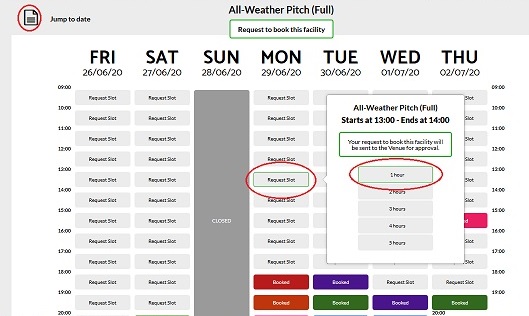
Check option name at the top of the calendar is your selection.

If your required date is not in view; select Jump to date icon to reveal monthly calendar and use scroll arrows if required for advance start dates.

Ensure Date & Day are correct and click on request slot at your preferred start time.

Pop-up appears to the right with option name and start time at top, select number of hours required to set end time to move on to the next stage.


View summary to right to ensure correct selection; if incorrect select back.

If you are requesting more than 1 day in the same week select each day required (same time slot will apply).

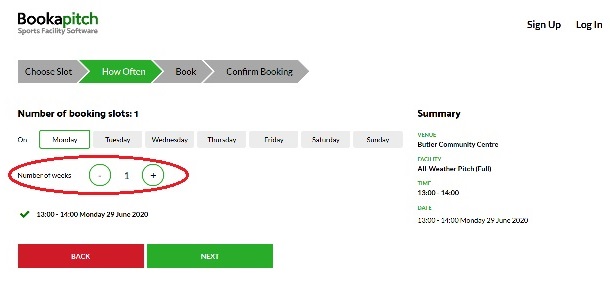
Select the number of weeks required for booking; the same time slot & days will apply to all weeks.


click next to proceed.


 Log in or click Create Account to Proceed.


 Fill in booking information.

Recheck Summary to right to ensure you are submitting your preferred selection and click "Request Booking" if OK or "Back" to edit selection.
 
   
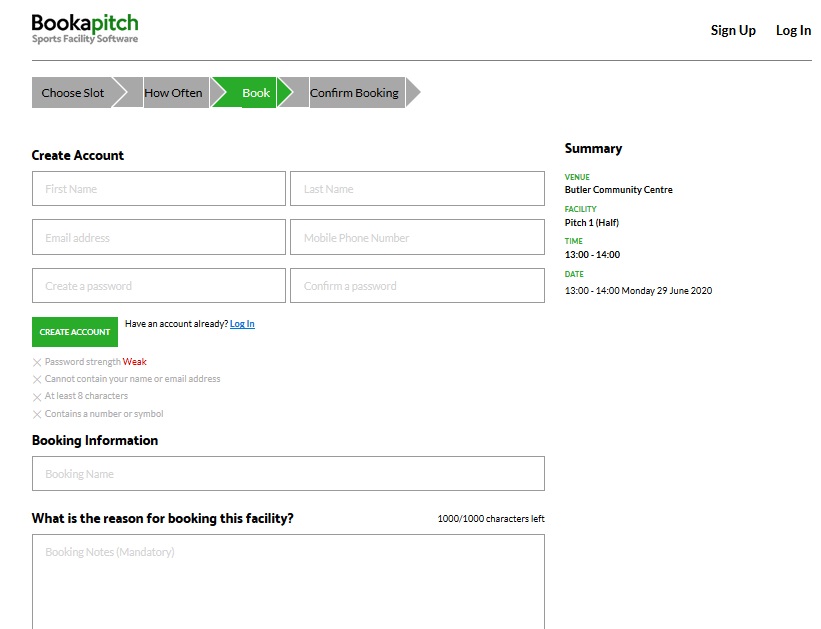
View of Create Account Form


RATES OF HIRE

HIRE RATES 

MONDAY to FRIDAY

AGE GROUP TIME SPORTS ALL-WEATHER  
      HALF FULL
SCHOOL KIDS Up To 5pm €30* €30* €60*
  From 6pm €30* €50 €90
         
ADULTS Up To 5pm €40 €40 €80
  From 6pm €40 €50 €90


During School Holidays weekday All-Weather Pitch rates are reduced by €10 for School Kids up to 3pm.  (Normal Rates apply from 4pm.)       

SATURDAY

AGE GROUP TIME SPORTS ALL-WEATHER  
      HALF FULL
SCHOOL KIDS ALL DAY €30* €20 €40
         
         
ADULTS ALL DAY €40 €40 €80


REDUCED RATES EVERY SATURDAY ON PITCHES
UNEMPLOYED PERSONS ARE CHARGED THE SAME RATES THAT APPLY TO SCHOOL KIDS.        
* DISCOUNTED SPORTS HALL & ALL-WEATHER PITCH RATES CAN ONLY BE BOOKED ON DAY OF USE – NO ADVANCE BOOKING

ALL ROOMS ARE CHARGED AT A RATE OF €20 PER HOUR.
PLEASE CONTACT THE MANAGER FOR A QUOTE FOR YOUR GROUP.
DISCOUNTS AVAILABLE TO ALL COMMUNITY GROUPS.

About Us

The Butler Community Centre is incorporated as a "Company Limited By Guarantee" and has Charitable Status.

Charity No. CHY15120.

CRA No. 20051341

©2026 Butler Community Centre. All Rights Reserved.

Search